
Animation has transformed the way we tell stories, market products, and create digital content. Whether you're an aspiring animator, a marketing professional, or just someone who wants to explore the world of animation, the right software can make all the difference. But with so many tools available, choosing the best one can be overwhelming.
This guide breaks down some of the best animation software for beginners, helping you find the right fit for your creative journey.
1. Understanding Animation Software
Before diving into specific tools, it's essential to understand the two primary types of animation:
- 2D Animation – Creates flat, hand-drawn or vector-based animations, often used for cartoons, explainer videos, and advertisements.
- 3D Animation – Adds depth and realism, often used in movies, video games, and product design.
Both types require different software, so knowing what you want to create will help narrow down your choices.
2. Best Animation Software for Beginners
1. Adobe Animate – Perfect for 2D Animation
If you want to create classic, hand-drawn-style animations, Adobe Animate is a great choice. It allows you to create vector-based animations and is widely used for web-based projects, cartoons, and simple animations. Pros:
- Easy-to-use interface
- Integration with Adobe Creative Suite
- Ideal for beginners in 2D animation
Cons:
- Subscription-based pricing
- Limited 3D capabilities
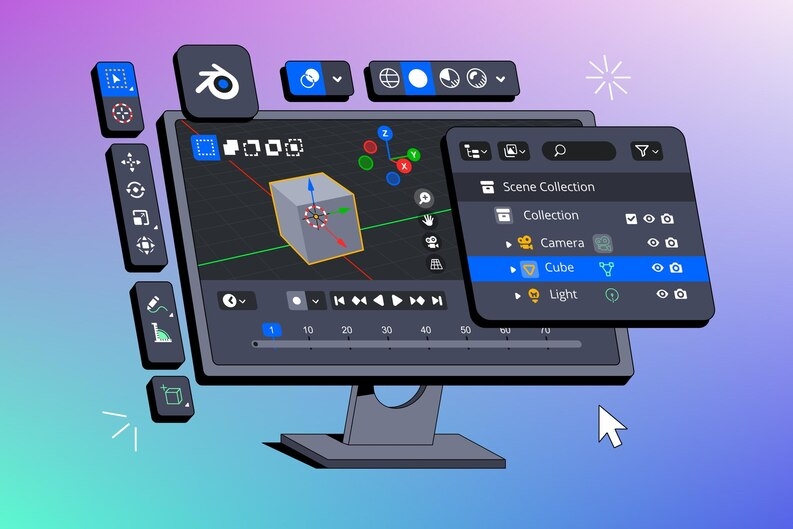
2. Blender – The Ultimate Free 3D Animation Tool
For those interested in 3D animation services, Blender is a powerful open-source tool. It offers everything from modeling and rigging to animation and rendering, making it one of the best free animation tools available.
Pros:
- Free and open-source
- Professional-grade features
- Great for 3D modeling and animation
Cons:
- Steeper learning curve
- Requires a powerful computer for complex projects
3. Toon Boom Harmony – A Professional 2D Animation Tool
Used by professionals in the industry, Toon Boom Harmony is a great tool for those who want to take 2D animation to the next level. Many TV shows and animated films are created using this software.
Pros:
- Industry-standard for 2D animation
- Offers both vector and bitmap drawing tools
- Powerful rigging and effects
Cons:
- Expensive for beginners
- Requires time to master
4. Moho (Formerly Anime Studio) – Best for Character Animation
If you're focused on character-based animation, Moho is a great choice. It offers advanced rigging tools that make animating characters much easier compared to frame-by-frame techniques.
Pros:
- Great for beginners and professionals
- Powerful bone-rigging system
- Affordable compared to other professional tools
Cons:
- Not ideal for non-character animations
- Some limitations in effects and transitions
5. Cinema 4D – User-Friendly 3D Animation Software
For those looking for an easy entry into 3D animation services, Cinema 4D offers an intuitive interface and powerful features. It is widely used in motion graphics, advertising, and film production.
Pros:
- Easier learning curve than Blender
- Excellent for motion graphics
- Great rendering capabilities
Cons:
- Expensive
- Limited advanced modeling features compared to Blender
3. Choosing the Right Software for You
Here are some key questions to ask before selecting animation software:
- What type of animation do you want to create? (2D vs. 3D)
- Are you willing to invest in paid software, or do you prefer free tools?
- How much time are you willing to spend learning?
- Do you need software that integrates with other tools?
4. Tips for Getting Started with Animation
Once you've chosen your software, here are some practical tips to help you get started:
1. Learn the Basics First
Don't try to master everything at once. Focus on the fundamental principles of animation, such as timing, spacing, and movement.
2. Follow Online Tutorials
Platforms like YouTube and online courses offer excellent beginner-friendly tutorials for almost every animation software.
3. Start with Simple Projects
Before creating a full animation, start with small projects like logo animation, simple character movements, or basic transitions.
4. Experiment and Practice Daily
The best way to improve your animation skills is through practice. Set aside time each day to experiment with different tools and techniques.
5. Join Animation Communities
There are many online communities where animators share tips, feedback, and inspiration. Engaging with these communities can help you stay motivated and learn from others.
5. Future of Animation and Career Opportunities
With the rise of animation studio in New York and across the world, animation has become a lucrative career path. Industries like entertainment, gaming, advertising, and education all rely heavily on animation, creating plenty of job opportunities.
Some career paths you can explore include:
- 2D Animator (TV shows, advertisements, online content)
- 3D Animator (Movies, video games, simulations)
- Motion Graphics Designer (Marketing videos, UI animations)
- Storyboard Artist (Pre-production for movies and animation projects)
- Visual Effects (VFX) Artist (Film and gaming industry)
Conclusion
Animation is an exciting and creative field with endless possibilities. Whether you want to create engaging cartoons, design animated advertisements, or develop stunning 3D models, the right software can make all the difference.
Start with beginner-friendly tools like Adobe Animate for 2D or Blender for 3D, and as you gain confidence, explore professional-grade software like Toon Boom Harmony or Cinema 4D.
The key is to practice, experiment, and have fun! Animation is all about storytelling, creativity, and bringing ideas to life—so dive in and start creating!


